top of page

SOCIAL & EMAIL MARKETING CAMPAIGNS
Design assets for social media and email campings showcase new KC products to current and potential customers.
My Role
• Graphic Design • Illustration • Photo & Video editing • Animation
Tools
• Adobe XD • Adobe Illustrator • Adobe Photoshop • Adobe After Effects • Adobe Premiere • Klaviyo
KC Website UX/UI
Role: UX/UI Design | Illustration | Concept Development |
Photo Editing & Video Editing
Tools: Adobe Illustrator | Adobe Photoshop | Adobe XD | Figma
KC website and landing page designs rely on best user experience (UX) practices: accessibility, informational and visual hierarchy, consistency, and user confirmation.

Flex Era 3 Landing page
Product landing page aims to educate customers about the features and benefits of the new product while using compelling images to display the product's application and promote KC's adventure lifestyle. The CTA "Buy Now" button lives and remains on the right side of the page, allowing users to flow through the landing page and focus on the visual information, and marvel at the impactful images of the featured product.
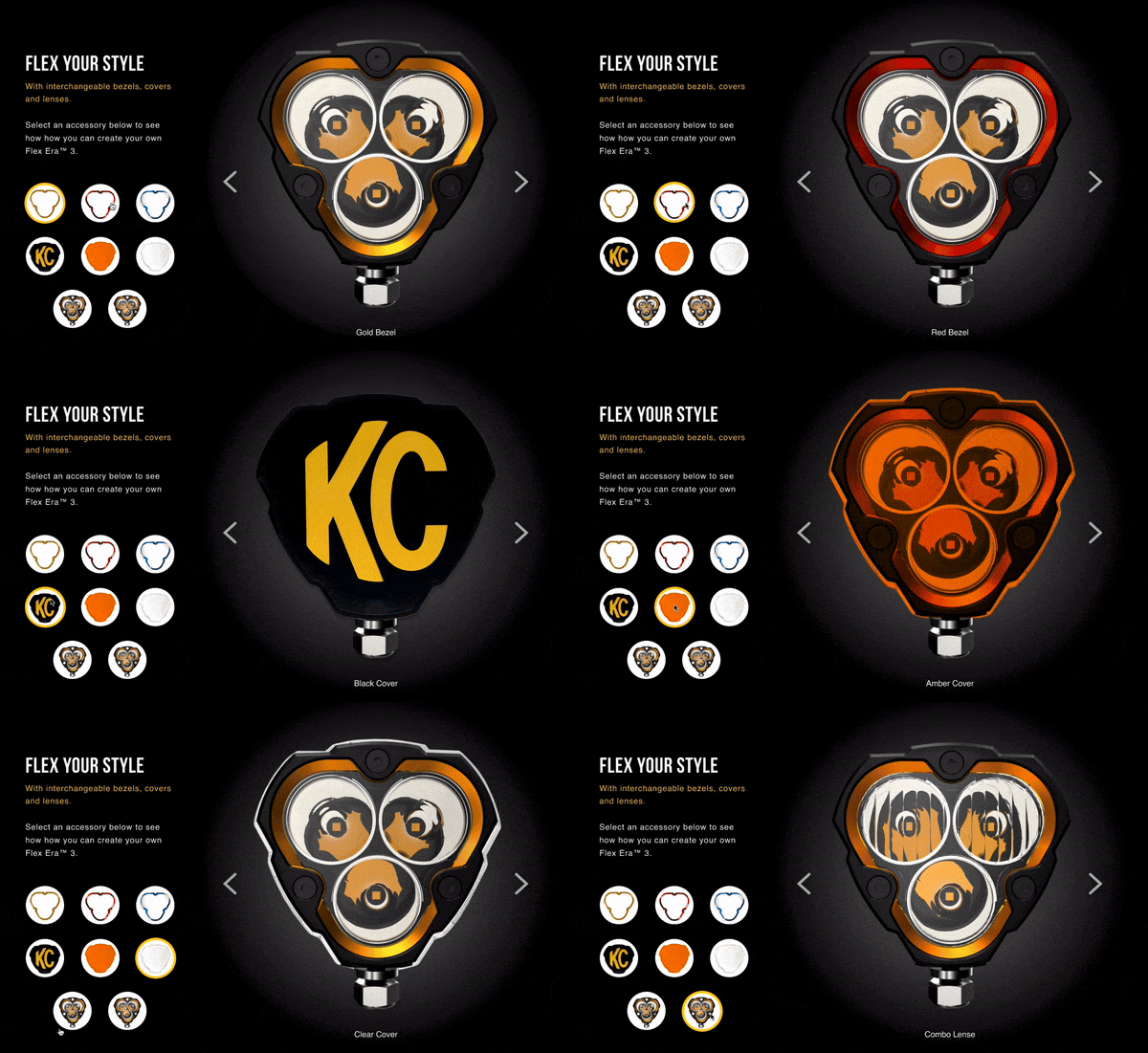
Intuitive interactive features highlight the product's customization options allowing users to select and see how different light covers and bezel applications look on the product.
KC Product Comparison
Due to KC's extensive product line, a dedicated comparison tool was designed for users to compare different products side-by-side and help them make a buying decision. In this first version of the tool, users can select up to three products from the product menu to compare their specifications.

Negative and positive buttons allow users to understand to add or remove a product from the comparison list. Technical information for each selected product appears on the list, and the information is simplified and separated into categories, allowing users to scan and read the different data easily.

bottom of page